


Share
Nepal eSIM
Nepal eSIM
Couldn't load pickup availability
Features
- Use In: 🇳🇵 Nepal
- Data Only: Yes
- SMS: No
- Calls: No, only through apps (VOIP)
- Compatibility: Check compatibility
Description
- This eSIM provides high-speed mobile data on supported partner networks. Actual speeds may vary depending on network coverage, congestion, location, and device capability. Activate your eSIM when you arrive at a supported destination and avoid international roaming charges from your primary carrier.
- Digital Delivery Only - Your eSIM QR code and activation instructions will be delivered via email within 15 minutes upon successful payment.
- Please ensure a valid and accurate email address is provided at checkout. DealeSIM is not responsible for delivery failure resulting from incorrect or inaccurate contact information.
Technical Specs
- Activation Deadline: Within 180 days of purchase
- IP/Data Routing: SG
- Hotspot: Yes
- Speed Reduction: No
- Supported Networks: Nepal Telecom 4G, Ncell 4G
- Supported Destinations: Nepal
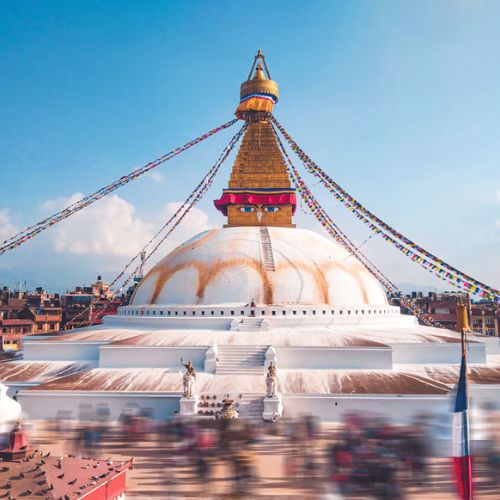
Nepal eSIM: Nepal Telecom 4G & Ncell 4G Data for Kathmandu, Pokhara & Himalayan Treks
The DealeSIM Nepal eSIM supports Nepal Telecom 4G and Ncell 4G, so you can get online as soon as you land in Kathmandu and carry on to Pokhara or the trekking trails. Hotspot is included, there’s no speed reduction, and you can activate within 180 days of purchase. Your data exits through Singapore (SG).
Travel Tips
- Check trekking permits and guide rules before you book. Trekkers need national park or conservation permits, and some regions also require a TIMS card or a local municipality permit. Rules on guides and registered agencies have changed in recent years and differ by region. Confirm the current requirements with the Nepal Tourism Board or a licensed trekking agency.
- Sort your visa before you land. Most visitors get a tourist visa on arrival at Kathmandu or can apply online in advance. Check the latest rules on the official Nepal Department of Immigration website.
- Plan around the seasons. October to November and March to May are the most popular trekking months, with clearer skies. The monsoon runs roughly June to September, when trails are wetter and views can be hidden by cloud.
- Download offline maps before you trek. Signal becomes irregular at altitude and in remote side valleys, and there are dead zones between villages. Don’t rely on your phone as your only navigation tool above 4,000 metres. Use airplane mode in no-signal areas to save battery.
- Expect signal in the main Everest villages, but not a guarantee. On the Everest Base Camp route, signal is usually available at Namche Bazaar, Tengboche, Dingboche and Gorak Shep, but it can drop in bad weather. Annapurna’s lower sections and larger villages are better covered than its higher stretches.
- Carry a power bank and Nepalese rupees. Charging in teahouses can be costly or unavailable, and park and conservation permits are paid in rupees. Keep some cash, because cards and ATMs thin out on the trail.
Frequently Asked Questions
Q: Which networks does the Nepal eSIM support, and can I share my data?
A: It supports Nepal Telecom 4G and Ncell 4G. Hotspot is allowed, so you can share data with a travel companion or a laptop. The plan has no speed reduction.
Q: Why does my IP location show Singapore?
A: Your data exits in Singapore (SG), so websites and apps may show your location as Singapore. This is normal and doesn’t affect your signal or speed in Nepal. Maps and ride apps still use your phone’s GPS for your real position.
Q: Will it work on the Everest Base Camp and Annapurna treks?
A: Expect 4G in Kathmandu, Pokhara and the larger towns, and signal in the main villages along popular treks. Higher altitudes, remote side valleys and bad weather can mean weak or no signal, so download offline maps and don’t rely on your phone alone for navigation.
Q: Do WhatsApp and phone calls work?
A: WhatsApp and other messaging apps work over mobile data. This is a data-only plan, so there’s no Nepali phone number for regular calls or SMS. Keep your home SIM active for SMS verification codes.
Q: Do I need to buy a local SIM or register this eSIM?
A: No. A local SIM in Nepal needs your original passport, a passport photo and a visa or entry stamp to register. This eSIM doesn’t need any Nepali registration, so you can install it before you fly.